
Close Menu
  • Home
  • Cybercrime and Ransomware
  • Emerging Tech
  • Threat Intelligence
  • Expert Insights
  • Careers and Learning
  • Compliance

Subscribe to Updates

Subscribe to our newsletter and never miss our latest news

Subscribe my Newsletter for New Posts & tips Let's stay updated!

What's Hot

Mythos: A Signal, Not a Siren—What Frontier AI Means for CISOs

June 26, 2026

Urgent: Cisco Unified CM Vulnerability Under Exploitation

June 26, 2026

Ultimate Guide to Top Pentesting Tools for Internal & External Security

June 26, 2026
Facebook X (Twitter) Instagram
The CISO Brief
  • Home
  • Cybercrime and Ransomware
  • Emerging Tech
  • Threat Intelligence
  • Expert Insights
  • Careers and Learning
  • Compliance
Home » Hackers Trick Users into Downloading Weaponized Teams for Remote Access
Cybercrime and Ransomware

Hackers Trick Users into Downloading Weaponized Teams for Remote Access

Staff WriterBy Staff WriterSeptember 29, 2025No Comments4 Mins Read3 Views
Facebook Twitter Pinterest LinkedIn Tumblr Email
Share
Facebook Twitter LinkedIn Pinterest WhatsApp Email

Quick Takeaways

  1. Cybercriminals are exploiting trust in collaboration tools by promoting a fake, weaponized Microsoft Teams installer via SEO poisoning and malicious ads, leading to system compromise.
  2. The fraudulent installer, signed with untrustworthy certificates, deploys a persistent backdoor called Oyster (or Broomstick) that maintains access even after system reboots.
  3. The Oyster backdoor enables remote control, data exfiltration, and communicates with C2 servers, and has been linked to ransomware attacks like Rhysida.
  4. To prevent infection, users should download software only from official sources and avoid clicking on suspicious ads or search results, emphasizing vigilance and user education.

Underlying Problem

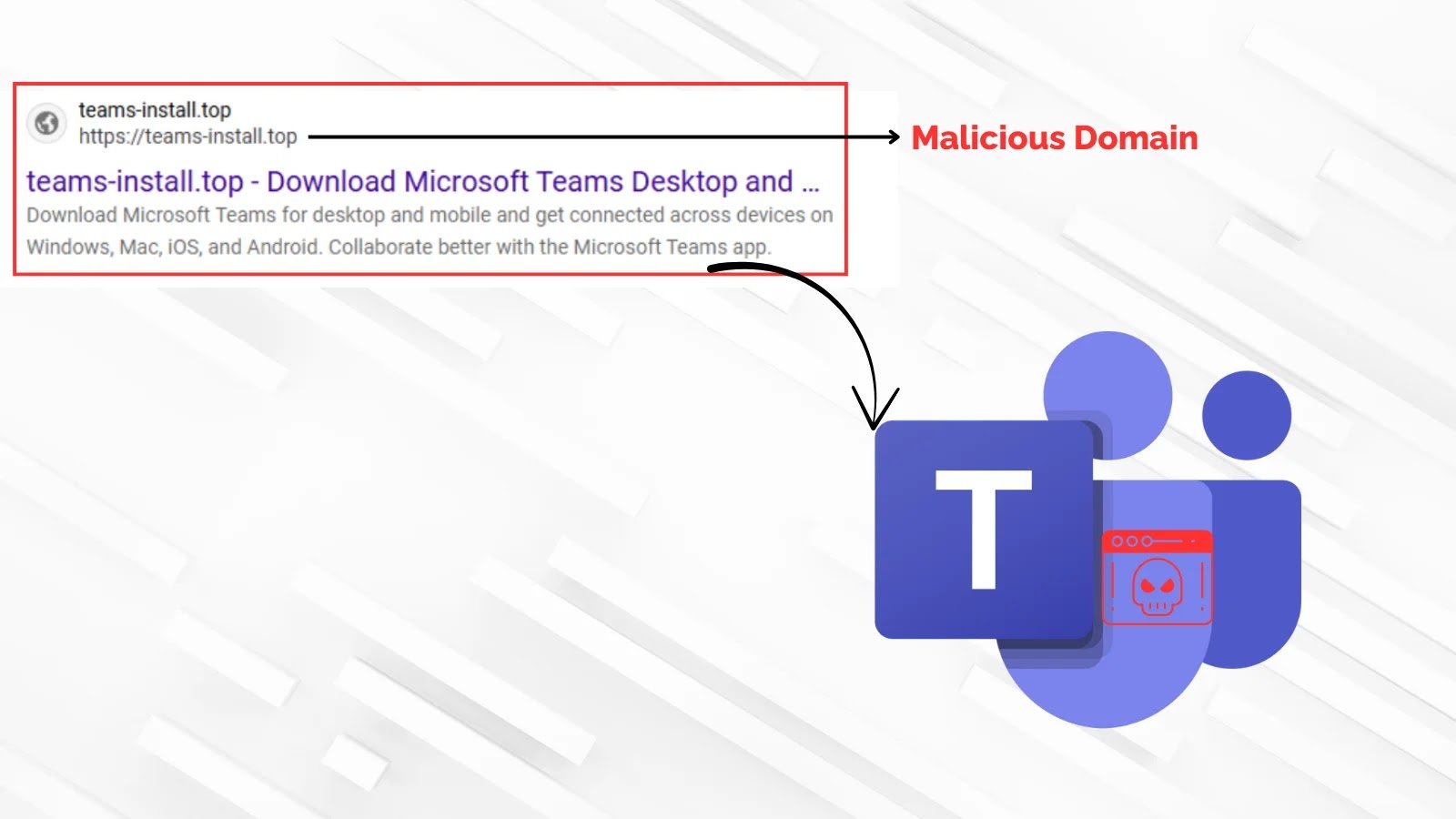
A sophisticated cyber attack is exploiting users’ trust in popular collaboration software, particularly targeting those searching for “Microsoft Teams download.” Threat actors employ SEO poisoning and malicious ads to redirect unsuspecting users from legitimate-looking sites, like teams-install[.]top, which impersonates the official Microsoft download page. These fake sites deliver weaponized installers, such as MSTeamsSetup.exe, signed with dubious digital certificates, making them appear trustworthy. When executed, the malicious program deploys a stealthy backdoor called Oyster (or Broomstick), which drops a DLL named CaptureService.dll into the user’s system and creates a scheduled task to maintain persistence. This backdoor grants attackers remote access, allows data collection, and communicates with command-and-control servers like nickbush24[.]com and techwisenetwork[.]com, effectively embedding themselves within the compromised network. This campaign signals a disturbing trend where cybercriminals increasingly manipulate trusted software supply chains and natural search results to bypass defenses, emphasizing the importance of downloading software only from official sources and practicing heightened vigilance.

Risks Involved

A sophisticated cyber campaign exploits user trust in popular collaboration software by employing SEO poisoning and malicious advertising to lure victims to counterfeit websites, such as a spoofed Microsoft Teams download portal, which delivers a weaponized installer signed with untrustworthy certificates. Executing this malware deploys the Oyster backdoor, establishing persistent remote access by dropping malicious DLLs into system folders and creating scheduled tasks that evade basic security checks. Once active, Oyster communicates with command-and-control servers to exfiltrate data, facilitate further payload delivery, and enable ransomware operations like Rhysida. This approach exemplifies a broader tactic where cybercriminals weaponize trusted software and manipulate search engine results to bypass defenses—posing significant threats to both individual and organizational security—making vigilance, official downloads, and user education crucial defenses against these stealthy, supply chain-like cyber risks.

Possible Actions

Understanding the importance of timely remediation in cases where hackers trick users into downloading weaponized Microsoft Teams files is crucial for safeguarding organizational security and maintaining operational integrity. Prompt action can significantly reduce the risk of data breaches, unauthorized access, and potential damage caused by malicious actors.

Mitigation Measures:

  • User Training: Educate employees on recognizing suspicious links and attachments.
  • Email Filtering: Implement advanced email security solutions to block malicious content.
  • Access Controls: Restrict permissions to prevent unauthorized downloads or execution.
  • Software Updates: Regularly update Microsoft Teams and antivirus software to patch vulnerabilities.
  • Monitoring: Continuously monitor network and user activity for signs of compromise.

Remediation Steps:

  • Isolate Affected Devices: Disconnect compromised systems from the network immediately.
  • Identify Malicious Files: Use security tools to detect and analyze weaponized files.
  • Reset Credentials: Change passwords and review user access rights.
  • Conduct Forensic Analysis: Investigate how the malicious files were introduced and executed.
  • Report Incidents: Notify relevant authorities and internal security teams for further action.
  • Review and Revise Policies: Update security protocols and training programs based on lessons learned.

Advance Your Cyber Knowledge

Stay informed on the latest Threat Intelligence and Cyberattacks.

Learn more about global cybersecurity standards through the NIST Cybersecurity Framework.

Disclaimer: The information provided may not always be accurate or up to date. Please do your own research, as the cybersecurity landscape evolves rapidly. Intended for secondary references purposes only.

Cyberattacks-V1

CISO Update Cybersecurity MX1
Share. Facebook Twitter Pinterest LinkedIn Tumblr Email
Previous ArticleBeware: Evil AI Masquerades as Helpful Tools to Infiltrate Global Organizations
Next Article Japan’s Largest Brewer Halts Operations Amid Cyberattack
Avatar photo
Staff Writer
  • Website

John Marcelli is a staff writer for the CISO Brief, with a passion for exploring and writing about the ever-evolving world of technology. From emerging trends to in-depth reviews of the latest gadgets, John stays at the forefront of innovation, delivering engaging content that informs and inspires readers. When he's not writing, he enjoys experimenting with new tech tools and diving into the digital landscape.

Related Posts

Mythos: A Signal, Not a Siren—What Frontier AI Means for CISOs

June 26, 2026

Urgent: Cisco Unified CM Vulnerability Under Exploitation

June 26, 2026

Ultimate Guide to Top Pentesting Tools for Internal & External Security

June 26, 2026

Comments are closed.

Latest Posts

Mythos: A Signal, Not a Siren—What Frontier AI Means for CISOs

June 26, 2026

Urgent: Cisco Unified CM Vulnerability Under Exploitation

June 26, 2026

Ultimate Guide to Top Pentesting Tools for Internal & External Security

June 26, 2026

Windows 10 Security Updates Extended to 2027

June 26, 2026
Don't Miss

Mythos: A Signal, Not a Siren—What Frontier AI Means for CISOs

By Staff WriterJune 26, 2026

Summary Points AI advancements like Mythos do not create new risks but accelerate existing cybersecurity…

Urgent: Cisco Unified CM Vulnerability Under Exploitation

June 26, 2026

Ultimate Guide to Top Pentesting Tools for Internal & External Security

June 26, 2026

Subscribe to Updates

Subscribe to our newsletter and never miss our latest news

Subscribe my Newsletter for New Posts & tips Let's stay updated!

Recent Posts

  • Mythos: A Signal, Not a Siren—What Frontier AI Means for CISOs
  • Urgent: Cisco Unified CM Vulnerability Under Exploitation
  • Ultimate Guide to Top Pentesting Tools for Internal & External Security
  • Windows 10 Security Updates Extended to 2027
  • Delhi’s cyber defenses target emerging malware and phishing attacks
About Us
About Us

Welcome to The CISO Brief, your trusted source for the latest news, expert insights, and developments in the cybersecurity world.

In today’s rapidly evolving digital landscape, staying informed about cyber threats, innovations, and industry trends is critical for professionals and organizations alike. At The CISO Brief, we are committed to providing timely, accurate, and insightful content that helps security leaders navigate the complexities of cybersecurity.

Facebook X (Twitter) Pinterest YouTube WhatsApp
Our Picks

Mythos: A Signal, Not a Siren—What Frontier AI Means for CISOs

June 26, 2026

Urgent: Cisco Unified CM Vulnerability Under Exploitation

June 26, 2026

Ultimate Guide to Top Pentesting Tools for Internal & External Security

June 26, 2026
Most Popular

Protecting MCP Security: Defeating Prompt Injection & Tool Poisoning

January 30, 202633 Views

Unlock the Power of Free WormGPT: Harnessing DeepSeek, Gemini, and Kimi-K2 AI Models

November 27, 202530 Views

The New Face of DDoS is Impacted by AI

August 4, 202528 Views

Archives

  • June 2026
  • May 2026
  • April 2026
  • March 2026
  • February 2026
  • January 2026
  • December 2025
  • November 2025
  • October 2025
  • September 2025
  • August 2025
  • July 2025
  • June 2025

Categories

  • Compliance
  • Cyber Updates
  • Cybercrime and Ransomware
  • Editor's pick
  • Emerging Tech
  • Events
  • Featured
  • Insights
  • Most Read
  • Threat Intelligence
  • Uncategorized
© 2026 thecisobrief. Designed by thecisobrief.
  • Home
  • About Us
  • Advertise with Us
  • Contact Us
  • DMCA
  • Privacy Policy
  • Terms & Conditions

Type above and press Enter to search. Press Esc to cancel.