

Top Highlights
- FunkLocker, a new AI-assisted ransomware linked to the FunkSec group, rapidly develops inconsistent malware that leverages legitimate Windows utilities to disable security defenses and disrupt systems.
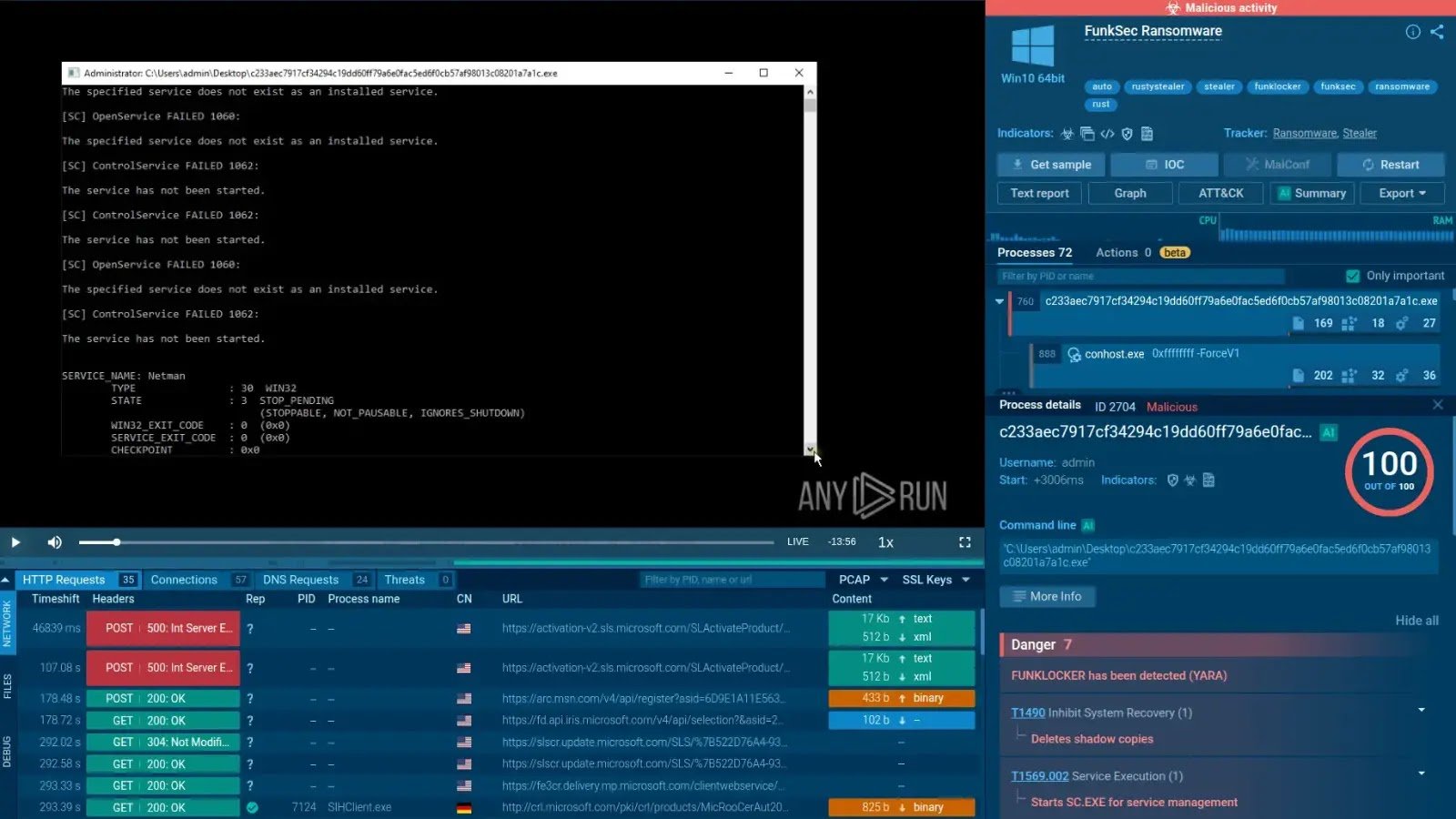
- It terminates security tools and essential services, including Windows Defender and Shell Experience Host, using standard commands like taskkill.exe and sc.exe, often causing system instability.
- The malware uses PowerShell extensively to disable defenses, delete shadow copies, and encrypt files locally with the .funksec extension, often leaving a ransom note but with weak operational security.
- Despite its disruptive capacity, vulnerabilities such as reused Bitcoin addresses and hardcoded encryption keys have enabled researchers to develop a free decryptor; FunkSec has targeted over 120 organizations globally across multiple sectors.
The Core Issue
The recent emergence of FunkLocker, a new ransomware strain attributed to the group FunkSec, marks a concerning development in cyber threats, leveraging artificial intelligence to rapidly craft malware that exploits legitimate Windows utilities to disable security defenses and destabilize targeted systems. This AI-assisted approach, which follows a “Ask AI → Paste snippet” model, results in inconsistent code—some versions barely functional, while others feature advanced evasion tactics like anti-virtual machine checks—highlighting its experimental nature. Once activated, FunkLocker aggressively halts critical processes and services, including security tools like Windows Defender and system components such as the Shell Experience Host, often causing the victim’s screen to go black. It systematically disables security measures using PowerShell commands, deletes shadow copies via vssadmin, and proceeds to locally encrypt files, appending the .funksec extension, while dropping ransom notes that may be inaccessible if key system services are killed. Despite its disruptive capacity, FunkLocker exhibits poor operational security, reusing Bitcoin wallets and embedding encryption keys, allowing Avast researchers to develop a decryptor. Since late 2024, the group has targeted over 120 organizations across sectors like government and finance globally, with their activities publicly documented by cybersecurity firms and threat monitoring groups reporting their tactics and indicators of compromise.
Risk Summary
FunkLocker, a newly developed ransomware linked to the threat group FunkSec, exemplifies the evolving cyber risk landscape, leveraging artificial intelligence to expedite malware creation and exploiting legitimate Windows utilities to disable critical security defenses. Its AI-assisted development results in inconsistent code, with some variants bearing advanced features such as anti-virtual machine checks, but often lacking stability and operational security—useful vulnerabilities that security researchers have exploited to produce decryption tools. Once executed, FunkLocker aggressively terminates essential processes and services, including Windows Defender, Firewall, and system applications like Shell Experience Host, often disrupting the victim’s screen and inhibiting system recovery by deleting shadow copies via vssadmin. It systematically disables security measures—using PowerShell scripts to turn off real-time protection, clear logs, and bypass execution policies—before locally encrypting files with a .funksec extension and leaving ransom notes. The malware’s operational weaknesses, such as reuse of Bitcoin addresses and embedded encryption keys, facilitate recovery efforts, yet its broad targeting across sectors and regions highlights the persistent and adaptable nature of modern ransomware threats, underscoring the importance of proactive defenses and rapid detection in safeguarding digital assets.
Possible Action Plan
Understanding the importance of prompt remediation for the ‘AI-Powered FunkLocker Ransomware Leverages Windows utilities to Disable Defenses’ is critical, as swift action can minimize damage, restore system integrity, and prevent the ransomware from spreading further within the network.
Immediate Actions
- Isolate infected systems from the network to prevent further propagation.
Assessment and Identification
- Conduct a thorough malware scan using reputable antivirus or anti-malware tools.
- Investigate system logs to identify the extent of the attack and specific utilities disabled.
Restoration and Recovery
- Utilize clean backups to restore affected systems and files.
- Re-enable any Windows defenses and utilities that have been disabled by the ransomware.
Security Reinforcement
- Patch all vulnerable Windows utilities and operating system components.
- Disable or restrict the use of any utilities that are exploited by the ransomware.
Monitoring and Prevention
- Implement enhanced monitoring of network activity for suspicious behavior.
- Educate users about ransomware tactics and safe computing practices to reduce risk.
Long-term Measures
- Deploy endpoint detection and response (EDR) solutions for better threat visibility.
- Develop and test incident response plans to ensure quick reaction to future attacks.
Explore More Security Insights
Explore career growth and education via Careers & Learning, or dive into Compliance essentials.
Understand foundational security frameworks via NIST CSF on Wikipedia.
Disclaimer: The information provided may not always be accurate or up to date. Please do your own research, as the cybersecurity landscape evolves rapidly. Intended for secondary references purposes only.
Cyberattacks-V1
