

Quick Takeaways
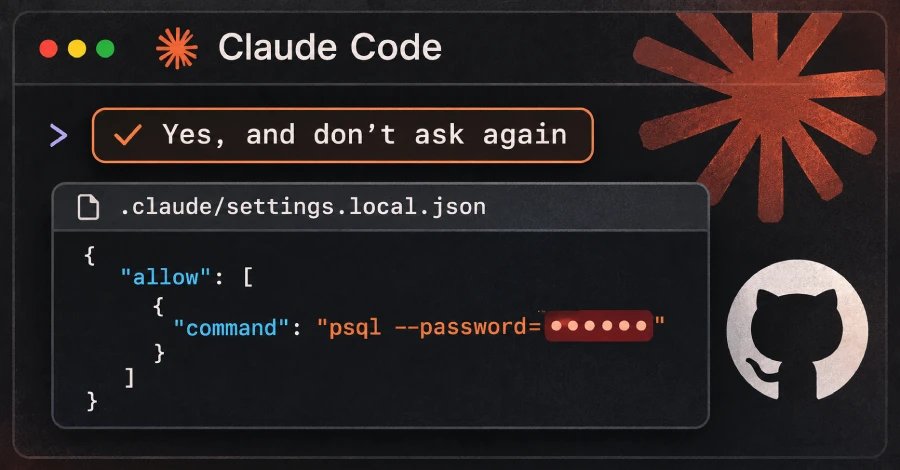
- “Yes, and don’t ask again” can save commands verbatim—including passwords and API keys—in
.claude/settings.local.json. - Apiiro found 1,122 public files containing 1,379 secrets; broader checks found 2,539 secrets across repositories, histories, and logs.
- Deleting the file isn’t enough: secrets can remain in Git history, forks, and other shared copies; some had been exposed for months.
- Rotate exposed credentials first, then clean Git history, add the file to
.gitignore, and keep secrets out of commands.
A Convenience Setting Can Preserve Secrets
A Claude Code setting meant to save time may also save passwords and access keys. When developers choose “Yes, and don’t ask again,” the tool can store the approved command in a project file. If that command contains a secret, the file may preserve it in plain text.
Security researchers found at least one secret in 1,122 public copies of the file on GitHub. Those copies held 1,379 different secrets, including database passwords, login details, and cloud access keys. The researchers did not test whether every secret still worked. However, one company they contacted confirmed that its key remained active.
Claude Code tries to keep this local settings file out of Git, a system that tracks changes to software projects. But that protection applies only to one user’s computer. It cannot protect a file that someone already uploaded. Even after deletion, earlier versions and copies in other repositories may remain.
The feature shows a practical trade-off in AI coding tools: fewer interruptions can help developers work faster, but convenience can also carry risks when a command includes sensitive information.
How Developers Can Reduce the Risk
Developers should change any password, token, or key that appeared in an exposed file. They should do this before removing the file, because deletion does not erase older copies.
Teams should also check project history for the file and add it to the project’s ignore list. Developers can keep secrets out of commands by using references to a secure password store instead. They can also approve command patterns, rather than exact commands that may contain private details.
Common security scanners did not catch every exposed file. Therefore, teams should review AI tool folders and saved command files as carefully as they review other places where secrets may appear. As AI assistants become part of everyday software work, safe habits will help people gain their speed without giving away the keys to their systems.
Continue Your Tech Journey
Explore the future of technology with our detailed insights on Artificial Intelligence.
Explore past and present digital transformations on the Internet Archive.
DataProtection-V1
