

Quick Takeaways
-
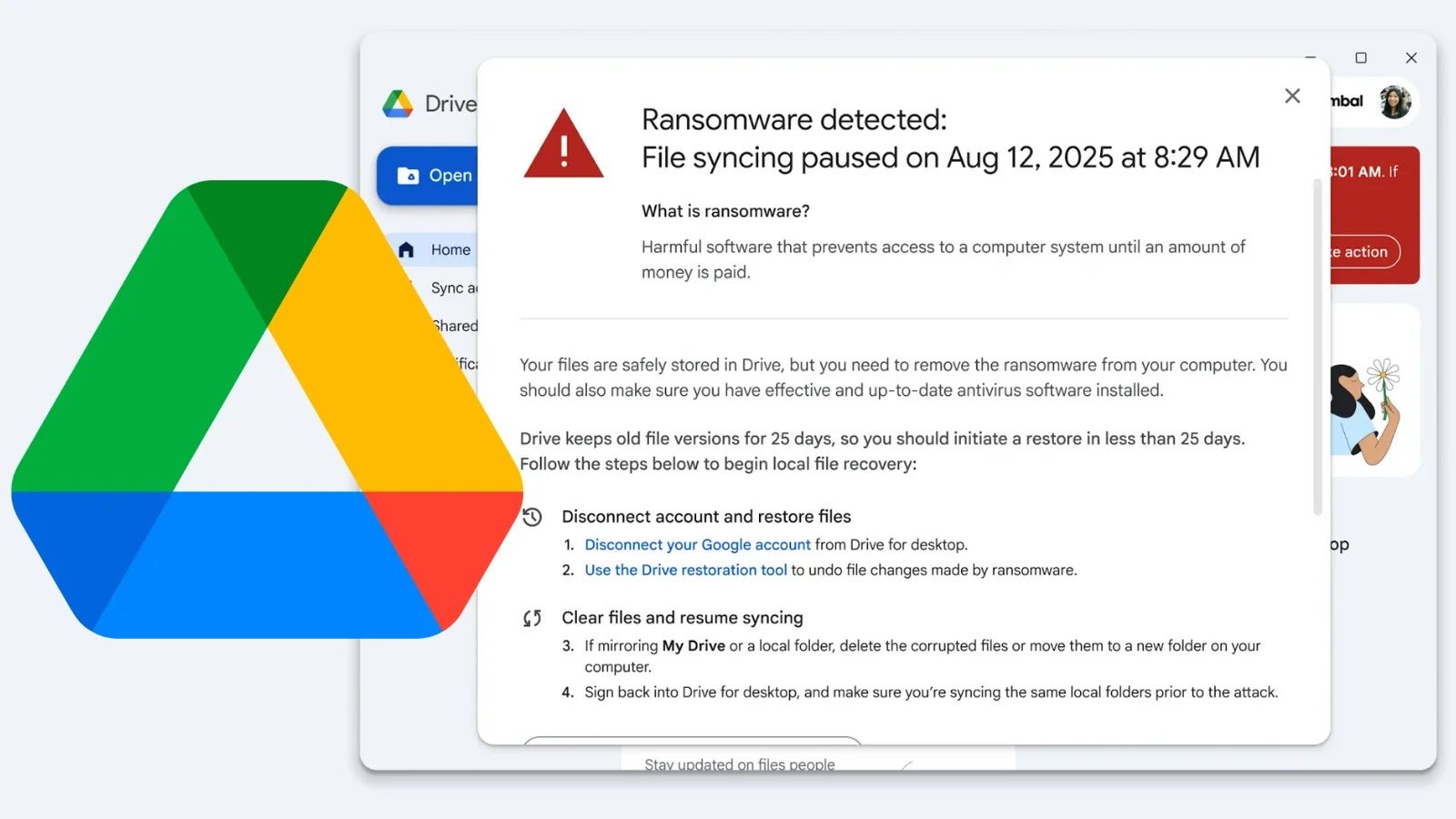
Google Drive for desktop has integrated AI-powered ransomware detection that identifies malicious file encryption and halts sync to prevent spread, protecting Windows and macOS users’ files automatically.
-
The system uses a specialized AI trained on millions of ransomware samples, which continually learns and adapts by analyzing file behavior and using threat intelligence to detect attacks in real-time.
-
Upon detection, it notifies users, pauses file syncing, and enables easy restoration of affected files through a web interface, minimizing data loss and operational disruption.
- The feature provides IT administrators with oversight tools via the Admin console for event review and offers organizations the option to disable detection, with the technology available at no extra cost during the beta rollout.
Underlying Problem
Google has launched an innovative AI-powered ransomware detection feature for Google Drive on desktop platforms, specifically targeting Windows and macOS. This development aims to bolster cybersecurity defenses by focusing on identifying and halting the core behaviors of ransomware attacks—particularly the mass encryption or corruption of files—instead of solely relying on traditional antivirus methods that primarily block malicious code beforehand. When suspicious activity is detected through the AI model trained on millions of ransomware samples, the system instantaneously pauses file syncing, preventing further spread of the attack, and notifies users to facilitate quick recovery. This proactive approach helps protect valuable user files, including PDFs and Office documents, which remain vulnerable outside of native Google Workspace files, and offers both individual users and IT administrators enhanced control and visibility.
The incident underscores the escalating threat of ransomware, which accounted for 21% of cyber intrusions last year, causing median damages exceeding $5 million. The report—sourced from Google and analyzed by industry experts like Bob O’Donnell—highlights that this feature is part of a broader adaptive defense strategy, leveraging continuous learning from real-world threats via integration with VirusTotal. Currently available at no extra cost in most Google Workspace plans and in open beta, this security upgrade aims to reduce operational disruptions and data loss, emphasizing Google’s commitment to safeguarding user data in an era of increasingly sophisticated cyber threats.
What’s at Stake?
Google’s latest AI-powered ransomware detection feature for Drive on desktop—applicable to Windows and macOS—significantly enhances cybersecurity by identifying the core behaviors of ransomware attacks, such as mass file encryption, and proactively halts file syncing to thwart damage. Unlike traditional antivirus tools that target malicious code pre-execution, this system leverages a trained AI model on millions of ransomware samples, enabling rapid detection and user alerts, as well as straightforward file restoration, thus minimizing data loss and operational downtime. This addition addresses a persistent cyber risk that last year constituted 21% of intrusions—costing organizations an average of over $5 million per incident—by providing an extra protective layer for vulnerable file types like PDFs and Office documents. Enabling visibility and management for IT teams via audit logs and alerts, it empowers organizations to respond efficiently. Currently in open beta and offered at no extra charge on most Google Workspace plans, this innovation underscores the escalating need for advanced threat detection to combat evolving cyber threats that threaten data integrity, financial stability, and operational continuity across sectors.
Possible Actions
Prompt: Writing at 12th grade reading level, with very high perplexity and very high burstiness in a professional yet explanatory tone, without a heading provide very short lead-in statement explaining the importance of timely remediation specifically for ‘New Google Drive Desktop Feature adds AI-powered Ransomware Detection to Prevent Cyberattacks’, with short 2 to 3 word section heading list the possible appropriate mitigation and remediation steps to deal with this issue.
Immediate action
Quickly addressing ransomware threats is crucial to prevent data loss, protect sensitive information, and minimize operational disruptions caused by cyberattacks leveraging the new AI-powered detection feature in Google Drive.
Assessment and containment
Identify and isolate affected devices or files to prevent malware spread and evaluate the scope of the infection.
System updates
Ensure all software, especially the Google Drive application and security systems, are up to date to benefit from the latest patches and threat definitions.
Restore from backups
Use recent, clean backups to recover compromised files and restore affected systems to a pre-attack state, minimizing data loss.
Antivirus scanning
Run comprehensive antivirus and anti-malware scans across devices to detect and eliminate remnants of malicious code.
Enhance security
Implement multi-factor authentication, strengthen password policies, and disable unnecessary permissions to reduce vulnerability.
Monitoring and alerts
Activate continuous monitoring tools and set up real-time alerts to quickly detect anomalous activities and respond accordingly.
Staff training
Educate users about ransomware indicators and safe file handling practices to reduce the risk of infection.
Incident communication
Notify stakeholders, inform law enforcement if necessary, and prepare communication plans to manage information dissemination during and after remediation.
Stay Ahead in Cybersecurity
Discover cutting-edge developments in Emerging Tech and industry Insights.
Learn more about global cybersecurity standards through the NIST Cybersecurity Framework.
Disclaimer: The information provided may not always be accurate or up to date. Please do your own research, as the cybersecurity landscape evolves rapidly. Intended for secondary references purposes only.
Cyberattacks-V1
