

Summary Points
-
Vulnerability Disclosure: Popular password manager browser plugins, including 1Password and Bitwarden, have been found vulnerable to a new clickjacking attack that could lead to credential theft, 2FA code capture, and credit card information leakage.
-
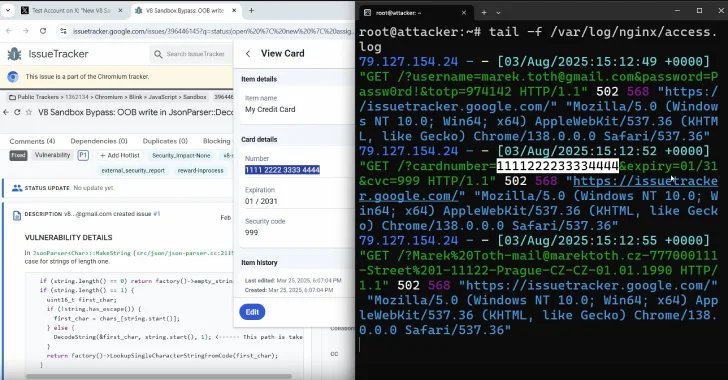
DOM Manipulation Technique: The attack, presented by Marek Tóth at DEF CON 33, exploits browser extensions by manipulating UI elements in the DOM, allowing an invisible pop-up to capture user inputs without their knowledge.
-
Widespread Impact: Eleven widely-used password managers were tested, with most being susceptible to this attack, revealing a significant risk for millions of users due to auto-fill features functioning on any domain and subdomain.
- Precautionary Measures: Until fixes are released by vendors, users are advised to disable auto-fill in their password managers and utilize manual copy/paste methods for sensitive data to mitigate the risk of exploitation.
Widespread Vulnerability in Password Managers
Recent reports reveal that popular password manager browser extensions are vulnerable to a security exploit known as DOM-based extension clickjacking. This flaw allows cybercriminals to potentially steal sensitive user information, including login credentials and credit card details, through manipulated web interfaces.
Researchers unveiled this issue at the DEF CON 33 security conference, highlighting that a simple click on a compromised website could lead to significant data breaches. The technique, developed by Marek Tóth, leverages malicious scripts to manipulate user interface elements such as auto-fill prompts. Consequently, users may unintentionally share their credentials when trying to dismiss harmful pop-ups.
Steps Toward Protection and Remediation
Among the password managers affected are well-known options like 1Password, Bitwarden, and iCloud Passwords, which serve millions of users. In light of this discovery, vendors have begun working on patches, though some have yet to address the vulnerability. Users should disable the auto-fill feature in their password managers and resort to copy-and-paste methods until fixes are available.
For optimal safety, experts recommend configuring auto-fill settings for Chromium-based browsers to require manual activation. By taking these precautions, users can better protect their sensitive information while waiting for official updates from software providers.
Stay Ahead with the Latest Tech Trends
Dive deeper into the world of Cryptocurrency and its impact on global finance.
Explore past and present digital transformations on the Internet Archive.
DataProtection-V1
